System Preparation
Luna WMS provides administrators with a Dashboard task list to prepare the system for use in their organisation.They include tasks such as defining business details, setting up signatories, document templates preparation, case type deployment, and workflow layout.
Defining a "Case"?
In Luna WMS, a Case is the central location for your work. Depending on your department or industry, you might usually call this an Enquiry, a Case, or a Matter.
Regardless which term you prefer (which you can also be customised within Luna), they all mean the exact same thing within Luna: a single place to track, manage, and organise all the information for a specific file.
Initial Tasks
System configuration tasks are split into several categories:
- Business details
- Workflow
- Test and trial matters/cases
- On-boarding new users
Note
You should work through each category of tasks and complete them accordingly.
- Configure system case statuses
- Configure system case types
- Configure system dispositions
- Build Matter questionnaires using the designer
- Configure system closure reasons
- Configure system marketing sources (optional)
- Build Matter workflows using the designer (optional)
- Configure system messaging templates
- Build template document library
- Setup electronic signatures (optional but recommended)
- View or create a Matter
- Review system user roles and capabilities
- Invite new users to Luna
- Review and send users help documentation links
System Suggested Tasks Widget
As you complete preparation tasks you can check and mark progress under the widget.
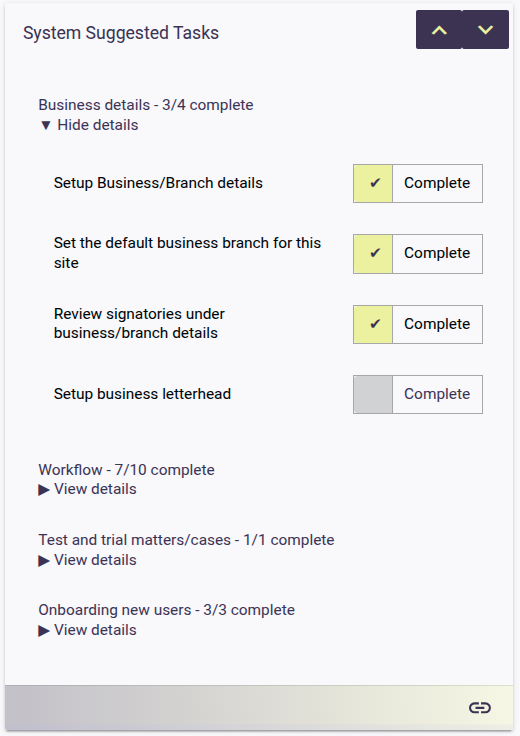
System administrators have access to a dashboard where they can track progress and review suggested tasks.