Workflow Designer
Luna Workflows are separated by case type; they allow designers to define tasks or actions required to progress a file.
Preview showing the different task types
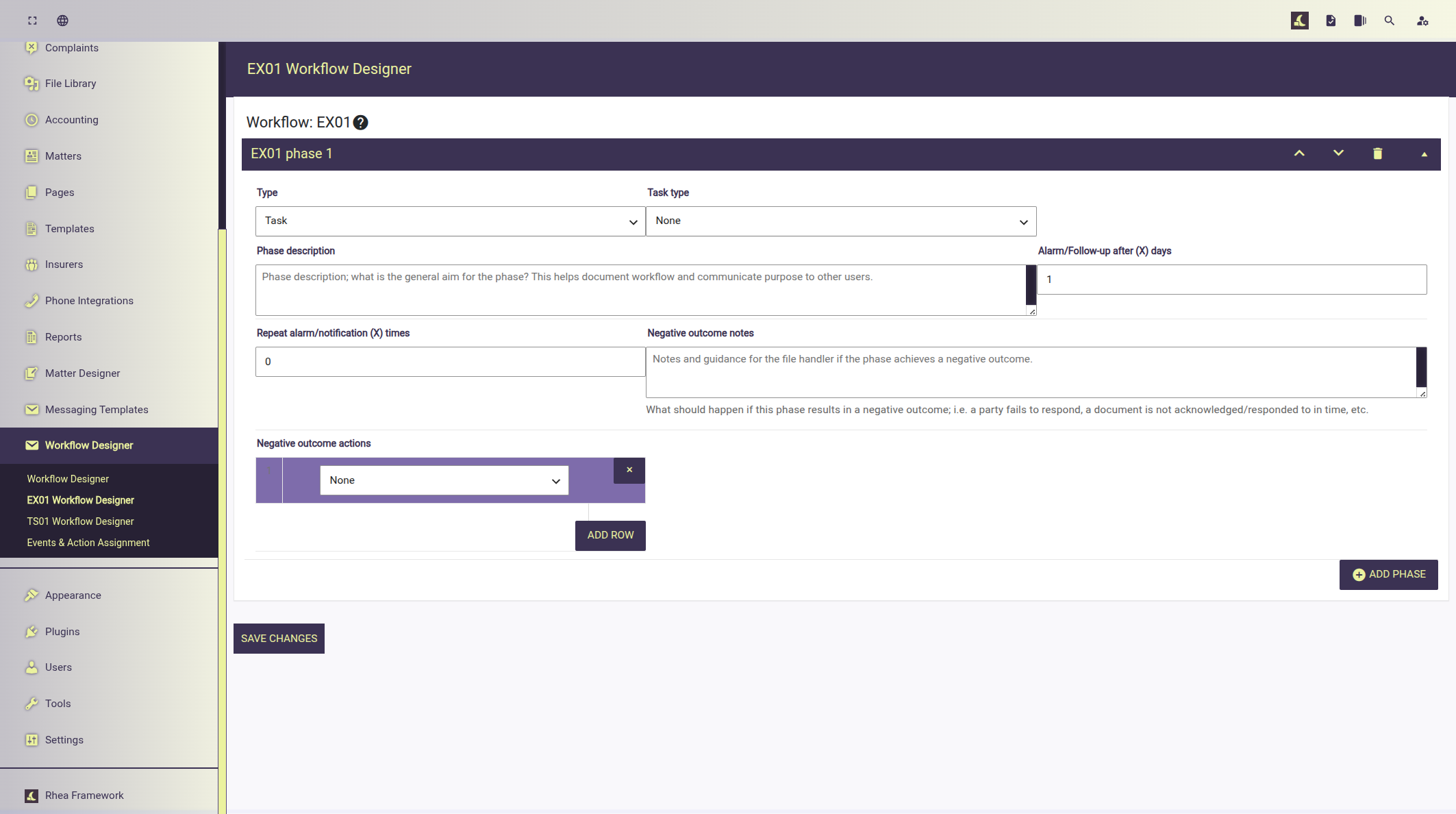
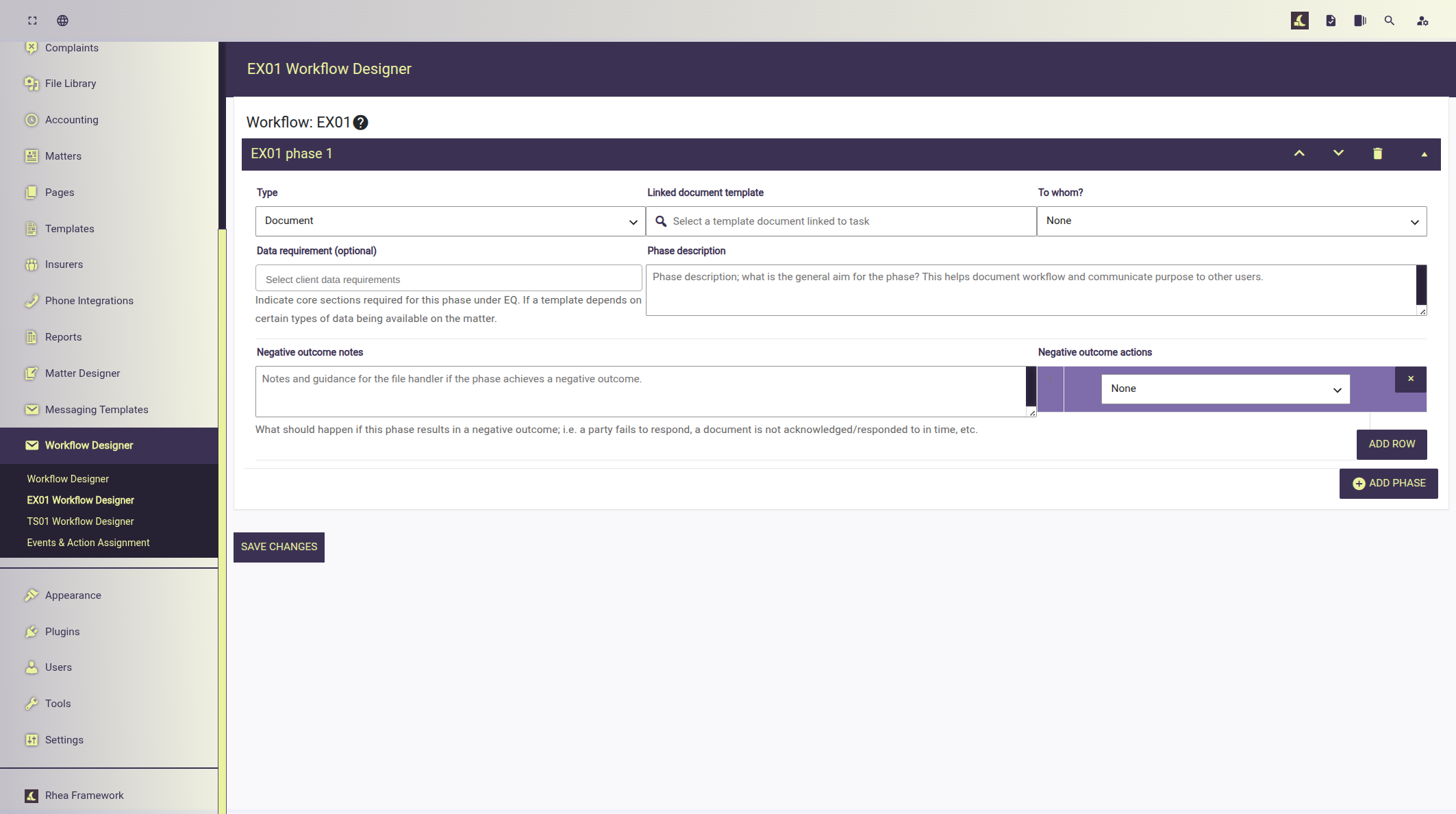
Task types
Task type can be set to - Task: A workflow phase representing actionable tasks on a case; they breakdown in to sub-task types. - Document: A workflow phase requiring the generation of a document to be sent to either: plaintiff, defendant, third_party, court.
Sub-task type details
- Contact: Represents a task involving contacting, "to_whom" should be set to one of: plaintiff, defendant, third_party, court.
- Questionnaire: Represents a task covering the core questionnaire the case/file handler is required to evaluate the claim and to gather client details.
- Evidence: Represents a task for gathering evidence from the client to support andverify their claim. This may include: ID, photo's or other items.
- Additional information: Represents a task where further information is required that may not have been captured through the questionnaire.
- File note: Represents a task the file handler should complete relating to some action to take on the file and create a file note.
- File review: Represents a task where the case handler should have the file reviewed prior to a significant action; examples include preparations for court hearing.
Document Task details
The "document" task type is used to define requirements before inclusion on the file:
- Linked document template: select a template document that is used by this task.
- To whom: Define where this document is sent:
- Plaintiff (claimant/client),
- Defendant,
- A Third Party,
- Court.
- Data requirement (optional): Declare data requirements that should be set before this document can be generated from the template. This can be one or many of the following:
- Client,
- Questionnaire,
- Third party/Defendant,
- Evidence.
Common fields
These fields are used on both Tasks and Document:
- Alarm/Follow-up after (X) days: Define when progress on the current task should be reviewed.
- Repeat alarm/notification (X) times: How many times should the alarm and/or notification repeat before moving to the next action?
- Negative outcome notes: Describe to the agent what should be tried/happen if no progress or a negative outcome is achieved.
- Negative outcome actions: Choose one or more actions, actions can appear more than once:
- Reattempt + file note
- File note
- Notify client
- Flag file for review
- Close file
Tips and suggestions
- The first workflow task should almost always be "contact": "plaintiff".
- The second workflow task should almost always be set to "questionnaire" which could be completed as part of the initial contact task (first phase) but recorded a separate tasks as the client may not have all details to had and a follow up may be required.
- Language clarification:
- "plaintiff" always refers to the client.
- "defendant" is the party the claim is being raised against.
- "third_party" represents all other parties that are not the "plaintiff" or "defendant" involved in the claim; this could be insurers, medical agencies, councils, etc.
- Tasks should always have a valid "sub_task" set and never set to: None.
- Clearly separate workflow phases (tasks/documents) should not combine multiple tasks; for example a Task with such as: "Initial contact; discuss case details, assess claim viability, and formally notify the other party/insurer." should be broken down in to 4 separate tasks:
- Task - contact - Initial contact; discuss case details, assess claim viability.
- Questionnaire - contact - Gather required details and complete questionnaire.
- Document - plaintiff - Client formally authorises us (the law firm) to take action on their behalf.
- Document - defendant - Formally notify defendant about the case raised against them.