Case Types and Statuses
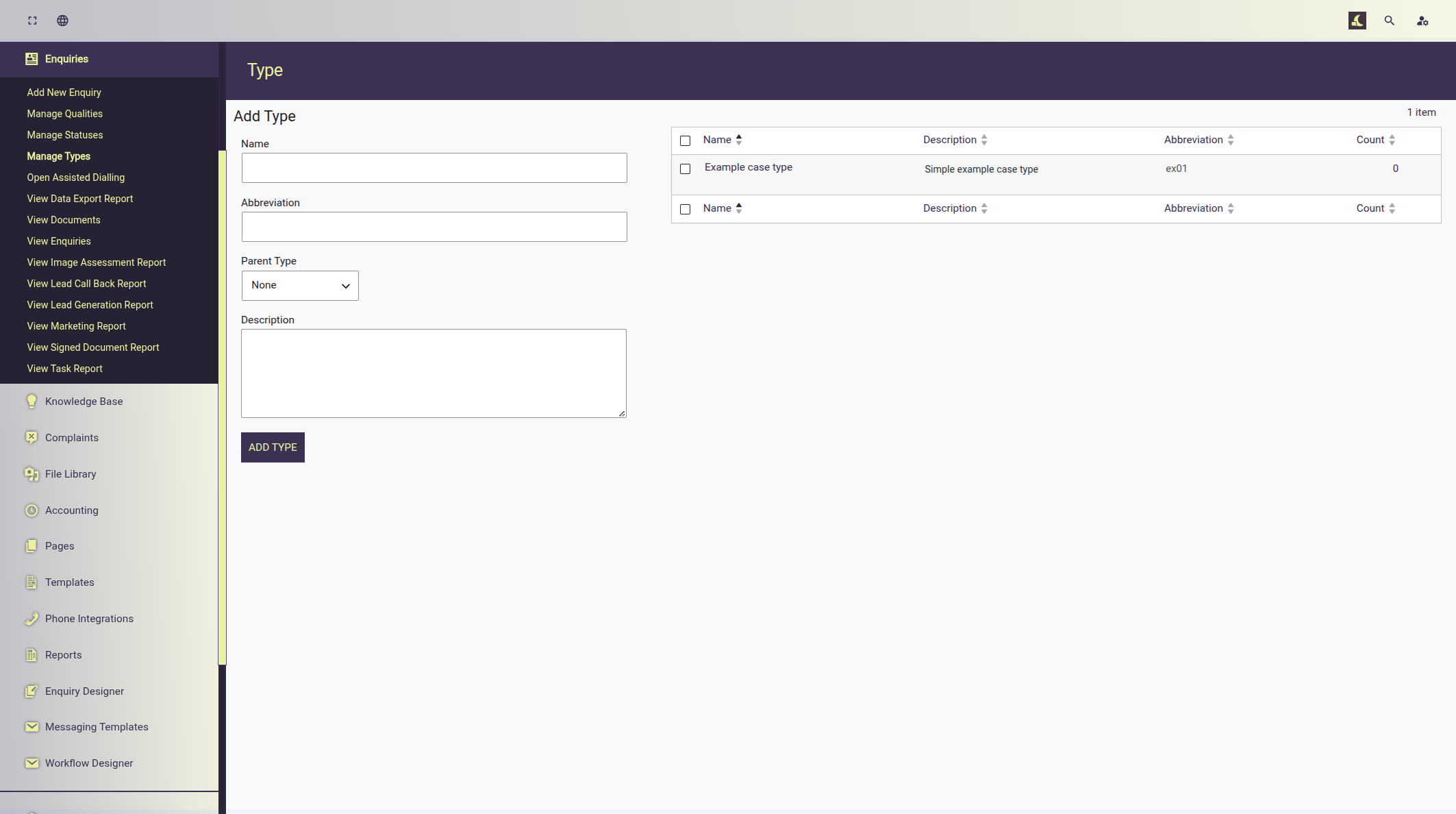
Creating a Case Type
Luna lets users define one or more case types; the case type taxonomy is used to separate cases in to categories, provide unique questionnaires and workflows.
Each case type requires:
- Name
- Abbreviation
- Description (optional)
Example: Managing Case Types
Creating a Case Status
Luna lets users define one or more case statuses.
Each case type requires:
- Name
- Abbreviation
- Description (optional)
Example: Managing Case Statuses
Luna will generate several case status for new sites automatically; administration can add more where required.
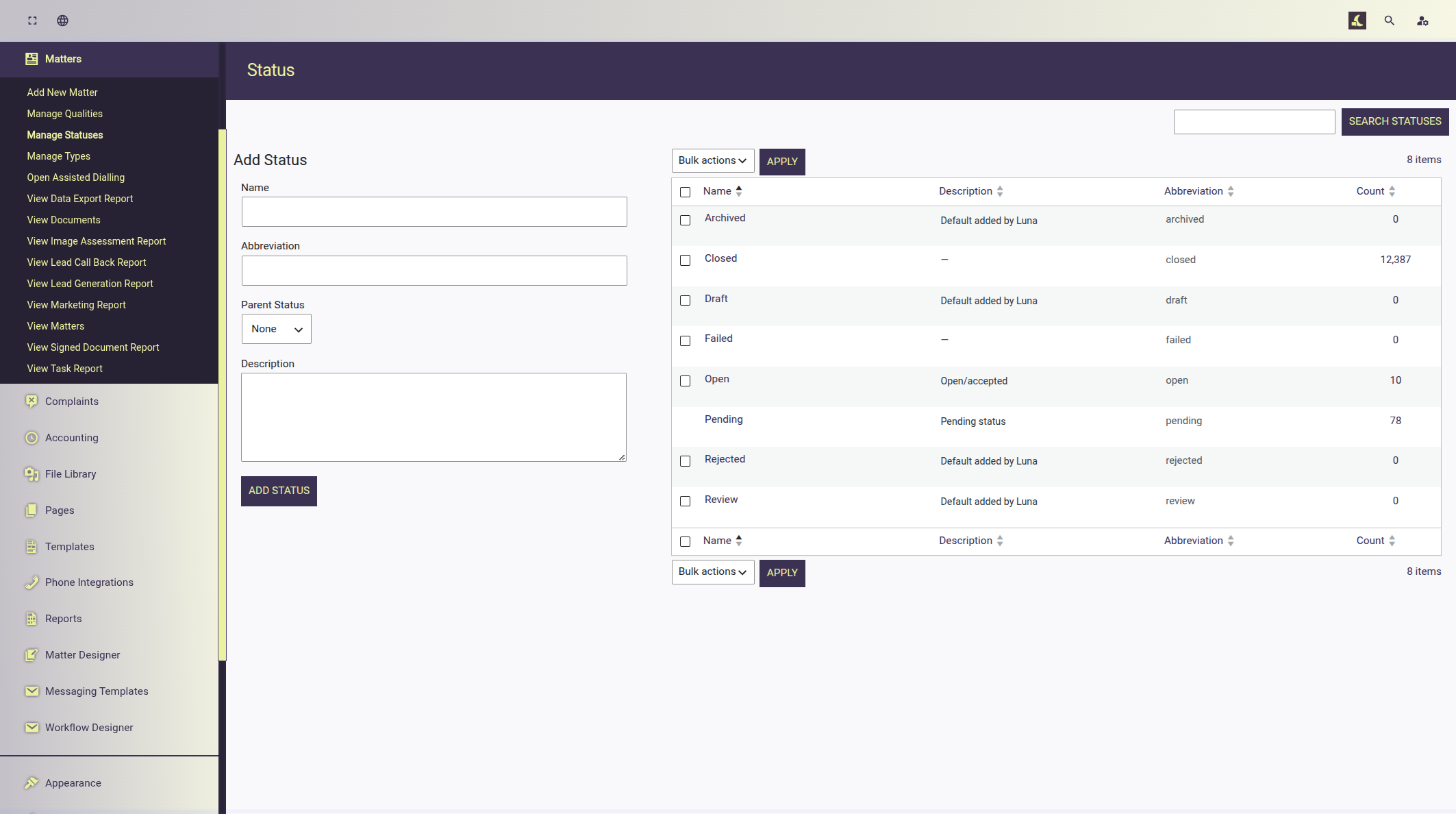
Default case statuses provided by Luna
These case statuses are provided by Luna; they can be modified, removed or entirely new entries created.
Case statuses provide a method to sorting and identifying file progress.
- Open
- Pending
- Archived
- Failed
- Rejected
- Closed
- Draft
- Review
Creating Case Dispositions
Case dispositions are used to indicate a cases current status; case dispositions can be sent by the file handler as well as by the system on certain actions.
Take for instance a document is sent to a client:
- If a disposition is linked to the action of sending a document the case disposition on the file updates to "Docs sent".
- Once the document is signed that disposition would update to "Signed docs".
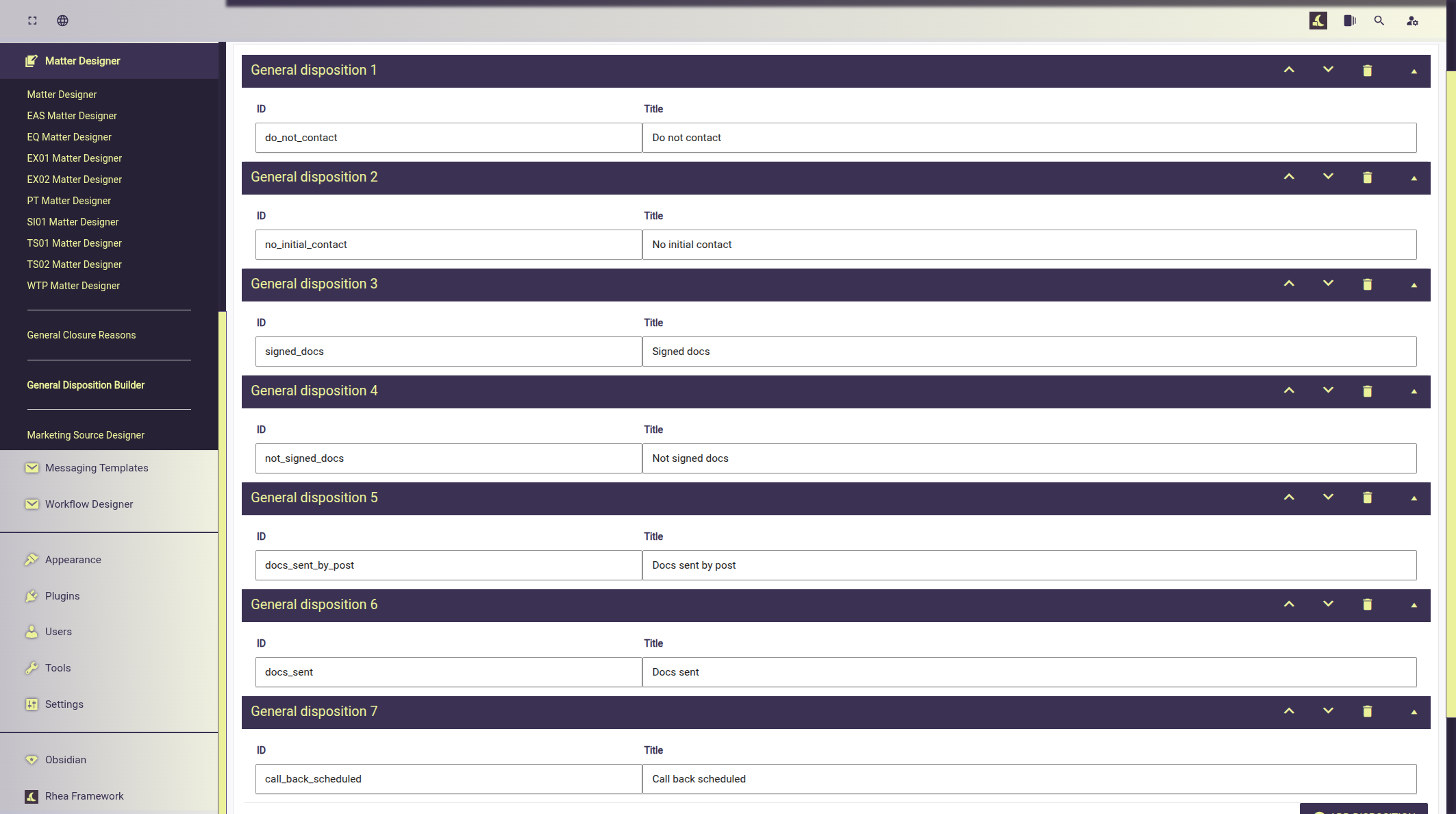
Defaults disposition provided by Luna
Luna provides the following default dispositions; these can be modified, removed or entirely new entries created to fulfil your requirements.
Case disposition may initially appear similar to case statuses but they enable sorting case statuses further. For example; you may wish to generate a report to view progress:
- "Pending" cases that have the disposition "No initial contact".
- With this you may wish to prioritise contact new leads which haven't been contacted.
- "Open" cases that have the disposition "Not signed docs".
- With this you could prioritise contacting the clients to remind them about signing documents.
Default dispositions include:
- Do not contact
- No initial contact
- Signed docs
- Not signed docs
- Docs sent by post
- Docs sent
- Call back scheduled
Create Case Closure Reasons
Case closure reasons allow file handlers or automations to indicate why a file has been closed.
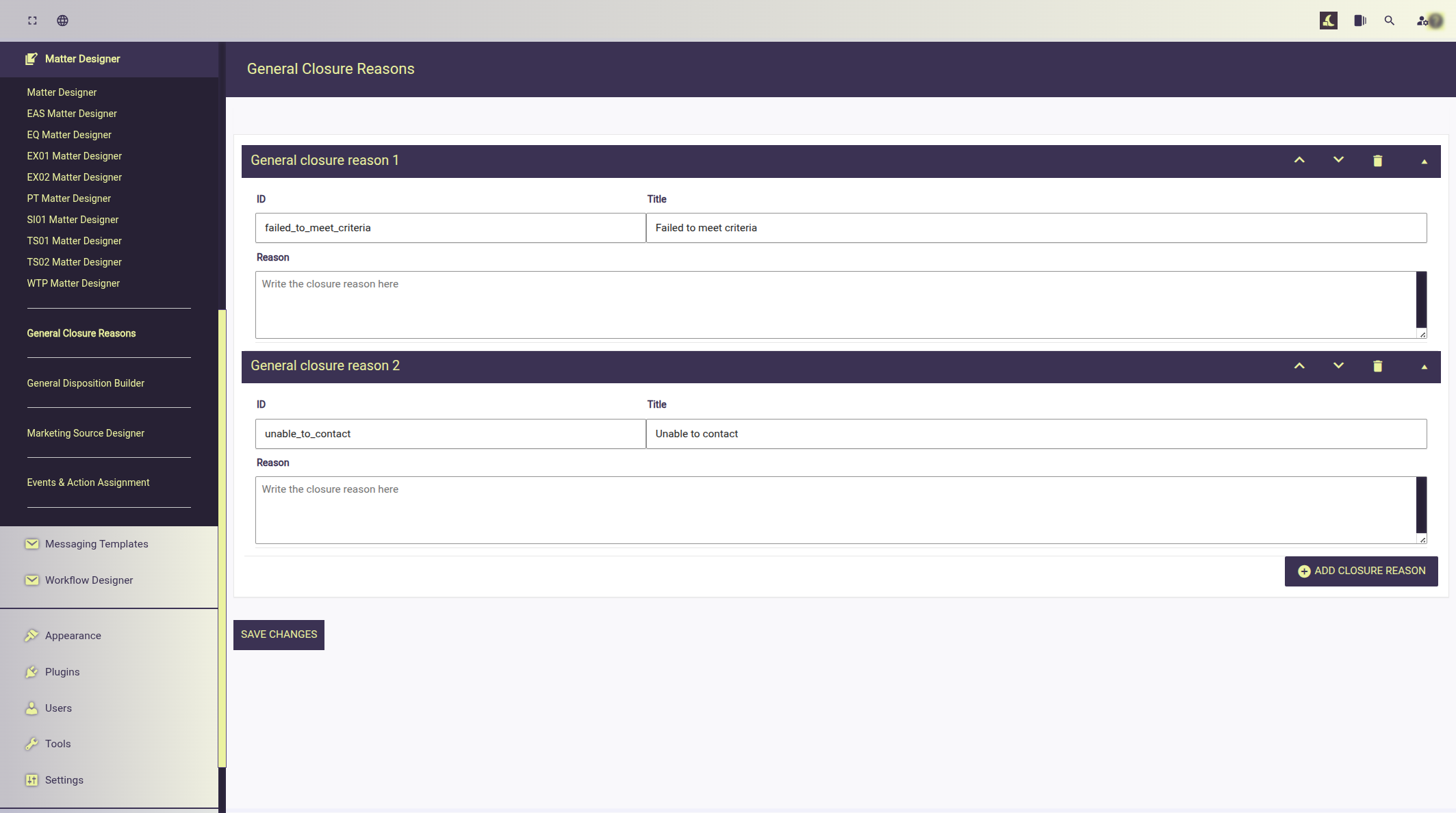
Defaults provided by Luna:
- Failed to meet criteria
- Unable to contact
You should expand on these to meet match your requirements.
Create Marketing Sources
Marketing sources allow you define where the enquiry originated from. These are used in reports to enhance data about enquiry origins.
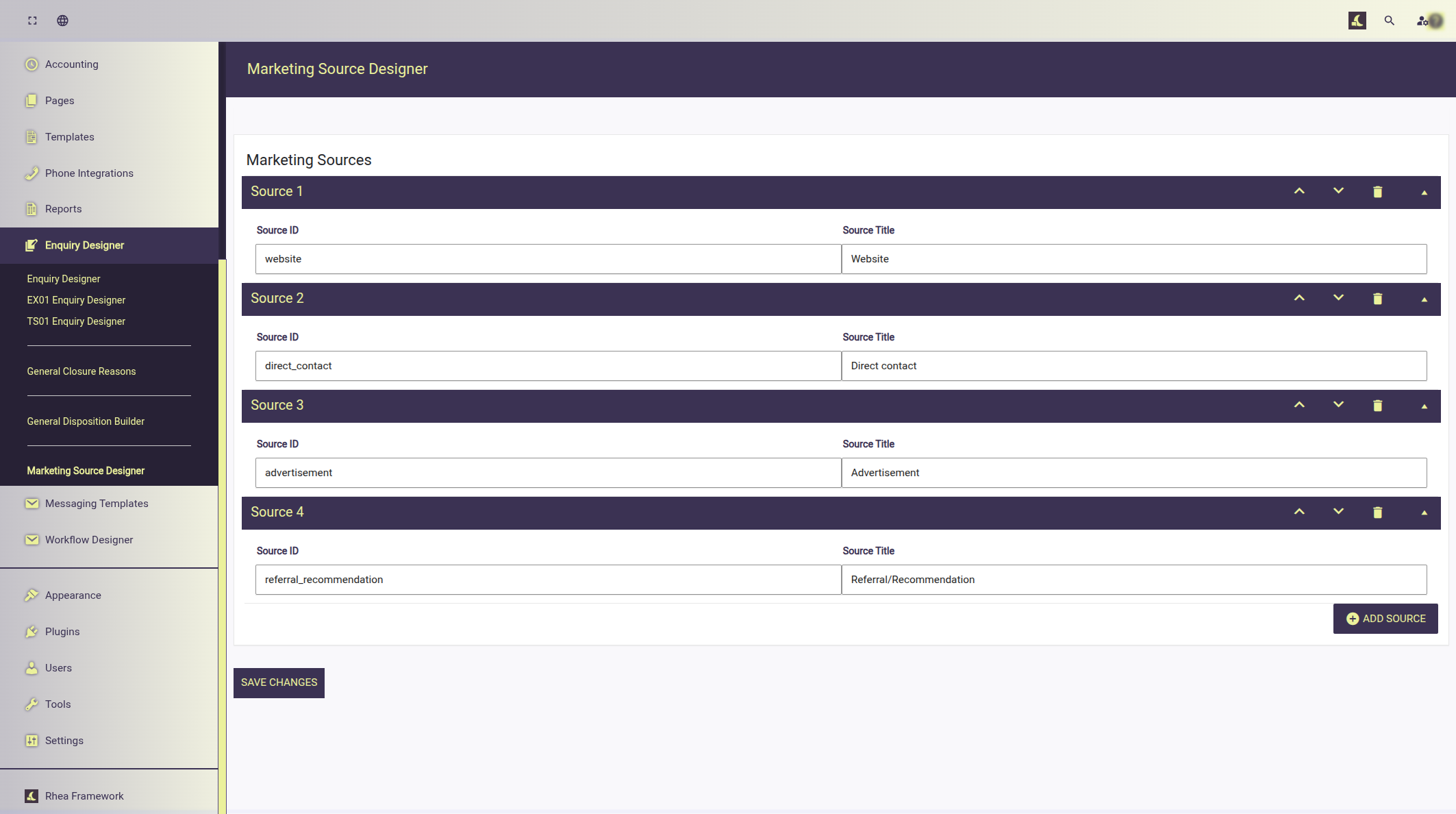
Luna provides several default sources these can be expanded as required.
- Website
- Direct contact
- Advertisement
- Referral/Recommendation