Messaging Designer
Provides designers with the ability to define template messages to be used across the system. Template message can be declared for Emails/SMS types.
The designer support one or many entries and appears as follows:
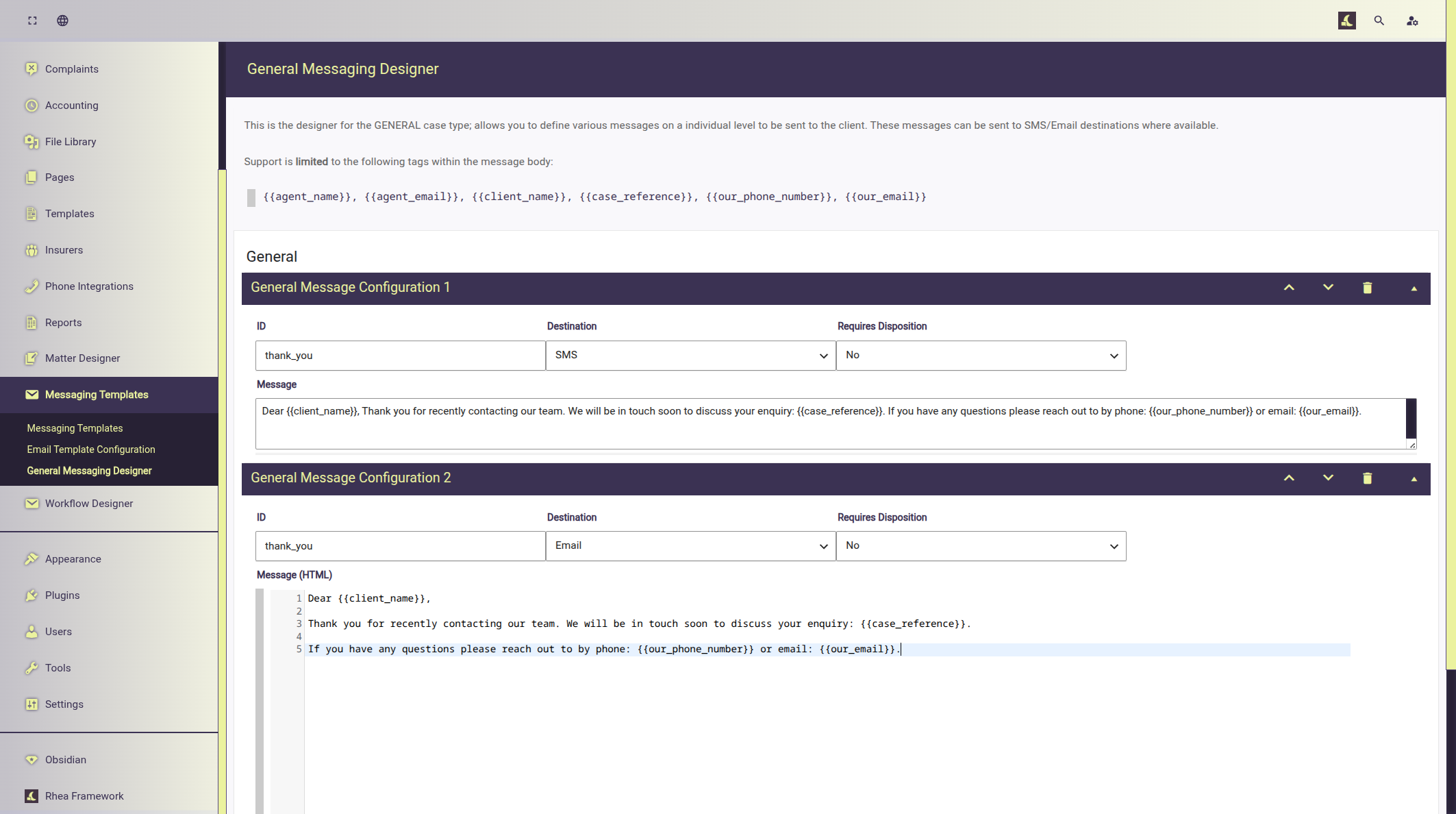
Each entry has the following fields:
- ID: an identifier for the message.
- Destination: can be either Email or SMS.
- Requires Disposition: can be either yes or now; when set to yes allows users to set a required Disposition.
- Disposition: Only visible if Require Disposition is yes, select a disposition that should be present before the message can be sent.
- Message: SMS only, plain text message body.
- Message HTML: Email only, can be plain or rich HTML markup.
- Note: that HTML messages uses the system Email markup, styles and template.
Template Tags
Fields: Message & Message HTML support several template tags that are replaced with file data values before they are sent.
{{agent_name}}replaced with the file handler/agents name.{{agent_email}}replaced with the file handler/agents email.{{client_name}}replaced with the clients name.{{case_reference}}replaced with the case reference.{{our_phone_number}}replaced with the primary office telephone number.{{our_email}}replace with the primary office email address.
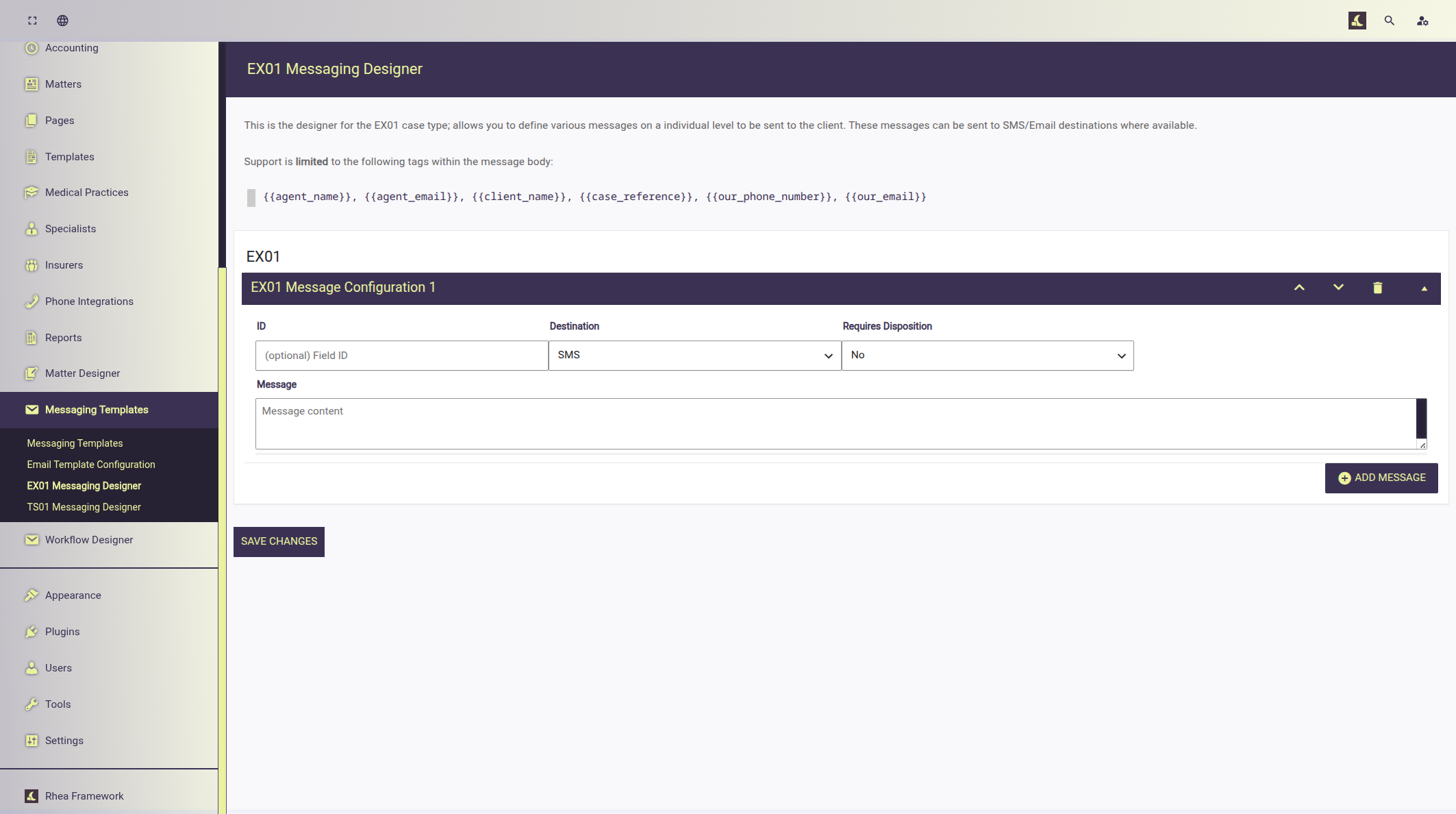
Separating messages template based Case type
The Messaging Designer additionally support separate message templates by Case Type this allows messages to be further customised to meet complex requirements for certain Case Types.
Interaction with system automations
When Case Type specific template messages are used; any system events and actions that are configured to send a message will first attempt to retrieve the message from the case type specific message designer. If no template is found it falls back to the General Message Designer.